Checking System Requirements
Before we get started it's best to check that your system meets the minimum requirements for the Unity Editor.
⚠️
Make sure you are checking against the system requirements for your operating system, Linux.
Ubuntu Linux
- Check the minimum requirements for the Unity Editor here (opens in a new tab)
- Check your system information by running the following command
sudo lshw -shortChromeOS Linux
- Check the minimum requirements for the Unity Editor here (opens in a new tab)
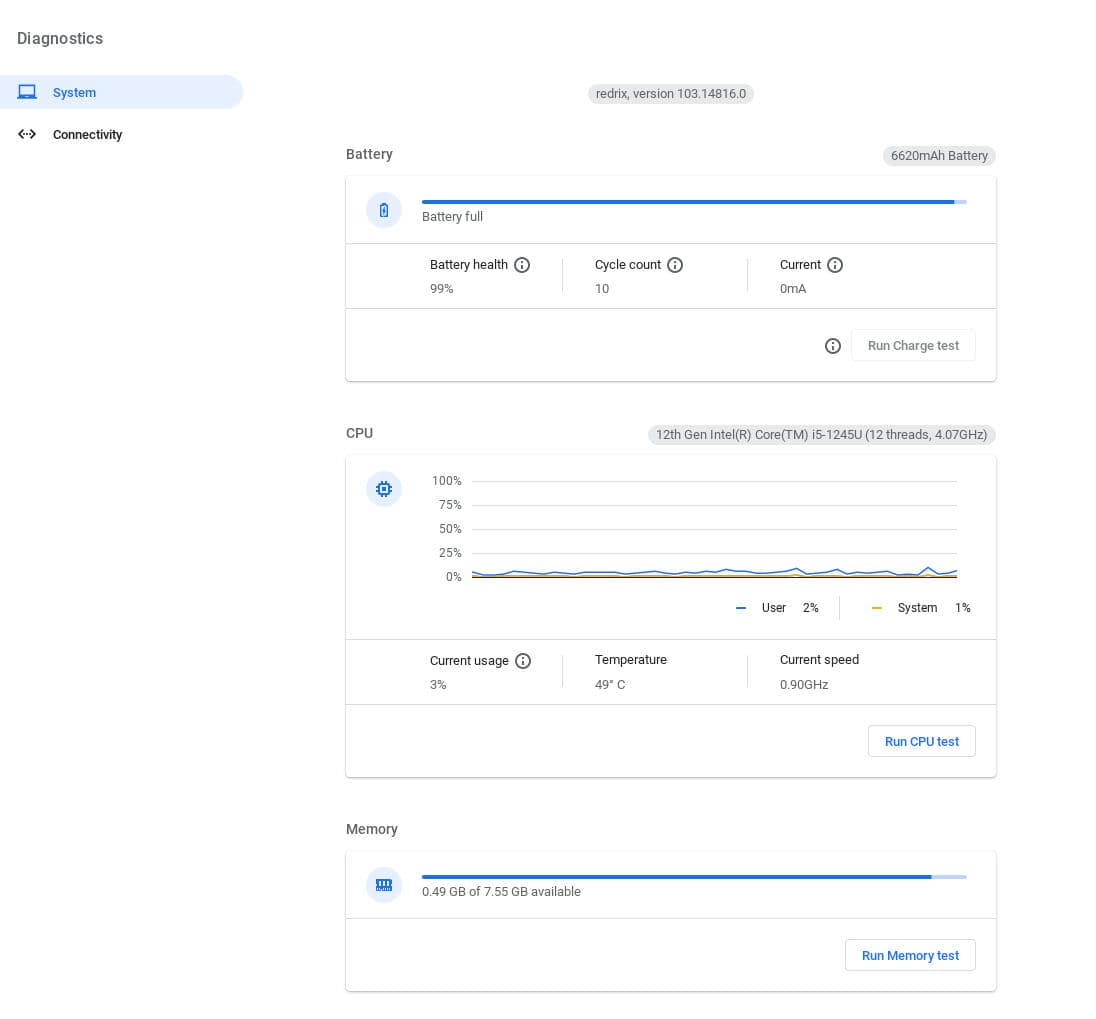
- Check your CPU (processor) & RAM (memory).
- On your Chromebook, at the bottom right, select the time.
- Select Settings -> About ChromeOS -> Diagnostics.
- You will then see a page providing you with information about the Chromebooks processor & RAM.
- Open a browser tab and enter this URL: chrome://system/#lspci
- If it doesn't automatically scroll down to the line beginning with "lspci" then please scroll down to it.
- Once you're there just click on the 'Expand' button and look for the graphics controller card info.
Installing the Unity Hub
Step 1: Create a Unity ID
You can register for Unity here (opens in a new tab), if you already have an account, you skip this.
Step 2: Add the Unity aptitude repositories
-
To add the public signing key, run the following command:
wget -qO - https://hub.unity3d.com/linux/keys/public | gpg --dearmor | sudo tee/usr/share/keyrings/Unity_Technologies_ApS.gpg > /dev/null -
To add the Unity Hub repository, you need an entry in /etc/apt/sources.list.d. Run the following command to add the Unity Hub repository:
sudo sh -c 'echo "deb [signed-by=/usr/share/keyrings/Unity_Technologies_ApS.gpg] https://hub.unity3d.com/linux/repos/deb stable main" > /etc/apt/sources.list.d/unityhub.list' -
Update Aptitude's package cache
sudo apt upgrade -y
Step 2: Install the Unity Editor & Modules
- Install Ubuntu Hub from Aptitude
sudo apt install -y unityhub- Sign in to your Unity ID by selecting the drop down at the top left corner of the screen.
- Select Unity 2022.3.20f1 LTS (or latest version)
💡
Add Microsoft Visual Studio code by selecting the checkbox.
- Click on the Install button at the right bottom corner of your screen.